Oct 14, 2026
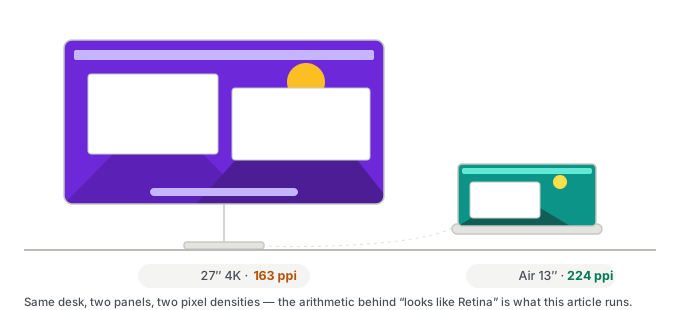
External monitor for a MacBook Air: ppi, not size
A 27-inch 4K panel is the most popular external monitor and the worst fit for macOS. The ppi arithmetic Apple builds its own screens around, and what to look for instead.
The other half of the site. The tools line covers software I test; this line covers the hardware — what it was bought for, how long it has been on the desk, where it broke, and what it really cost including the hours. Where a post rests on specifications instead of a device I own, the first line of that post says so.
Same standard as the tools line. There are two kinds of post here, and each one is labelled at the top:
Mac monitor ppi and scaling calculator — enter a monitor's size and resolution to see whether macOS will render it at a clean Retina 2×, native 1×, or in the fractional zone where text goes soft.
A 27-inch 4K panel is the most popular external monitor and the worst fit for macOS. The ppi arithmetic Apple builds its own screens around, and what to look for instead.
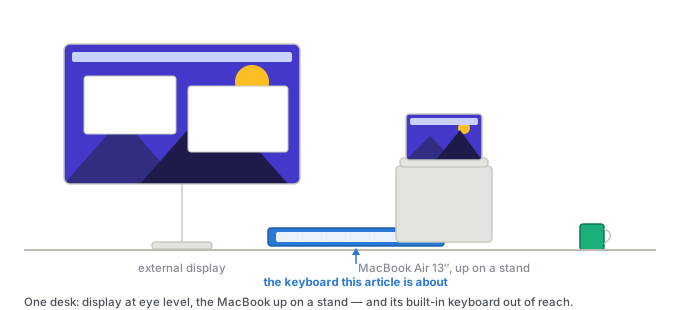
A MacBook Air already has a keyboard attached. How to tell whether you need a second one, what breaks on third-party keyboards, and what each price step buys.

19 months on, my 256GB MacBook Air has 18.2 GB free — and my own files account for 12 MB of it. Where every gigabyte actually went.
The M4 Air drives two 6K externals alongside the built-in screen with the lid open — closing it adds nothing. Here is the spec page, the M3 rule that keeps getting copied, and the hub trap that makes two monitors mirror.
Nineteen months with the MacBook Air M4: where it still holds up, the one macOS bug that outlived the honeymoon, and what I would buy if it died tomorrow.